Archief - Virus?

Het archief is een bevroren moment uit een vorige versie van dit forum, met andere regels en andere bazen. Deze posts weerspiegelen op geen enkele manier onze huidige ideeën, waarden of wereldbeelden en zijn op sommige plaatsen gecensureerd wegens ontoelaatbaar. Veel zijn in een andere tijdsgeest gemaakt, al dan niet ironisch - zoals in het ironische subforum Off-Topic - en zouden op dit moment niet meer gepost (mogen) worden. Toch bieden we dit archief nog graag aan als informatiedatabank en naslagwerk. Lees er hier meer over of start een gesprek met anderen.

Herr Doktor

Legacy Member
Laptop van kennis in veilige modus vanaf usb stick hijack geprobeerd... pc loopt meestal al vast bij het welkom scherm ....

Alvast bedankt, Merdor

Logfile of Trend Micro HijackThis v2.0.4
Scan saved at 1:13:11, on 31/07/2010
Platform: Windows XP SP2 (WinNT 5.01.2600)
MSIE: Internet Explorer v7.00 (7.00.6000.17023)
Boot mode: Safe mode

Running processes:
C:\WINDOWS\System32\smss.exe
C:\WINDOWS\system32\winlogon.exe
C:\WINDOWS\system32\services.exe
C:\WINDOWS\system32\lsass.exe
C:\WINDOWS\system32\svchost.exe
C:\Program Files\Panda Security\Panda Antivirus Pro 2009\PskSvc.exe
C:\WINDOWS\Explorer.EXE
E:\Hijack\Trend Micro\HiJackThis\HiJackThis.exe

R0 - HKCU\Software\Microsoft\Internet Explorer\Main,Start Page = Acer.com Worldwide - Select your local country or region
R1 - HKLM\Software\Microsoft\Internet Explorer\Main,Default_Page_URL = MSN | Hotmail | Messenger | Nieuws, entertainment, concerten, video, sport, lifestyle, auto en nog veel meer, dat is MSN !
R1 - HKLM\Software\Microsoft\Internet Explorer\Main,Default_Search_URL = Bing
R1 - HKLM\Software\Microsoft\Internet Explorer\Main,Search Page = Bing
R0 - HKLM\Software\Microsoft\Internet Explorer\Main,Start Page = MSN | Hotmail | Messenger | Nieuws, entertainment, concerten, video, sport, lifestyle, auto en nog veel meer, dat is MSN !
R1 - HKCU\Software\Microsoft\Internet Connection Wizard,ShellNext = http://www.avast.com/
R0 - HKCU\Software\Microsoft\Internet Explorer\Toolbar,LinksFolderName = Koppelingen
O2 - BHO: (no name) - AutorunsDisabled - (no file)
O2 - BHO: Adobe PDF Reader Link Helper - {06849E9F-C8D7-4D59-B87D-784B7D6BE0B3} - C:\Program Files\Adobe\Acrobat 7.0\ActiveX\AcroIEHelper.dll
O2 - BHO: Google Toolbar Helper - {AA58ED58-01DD-4d91-8333-CF10577473F7} - C:\Program Files\Google\Google Toolbar\GoogleToolbar_32.dll
O2 - BHO: Google Toolbar Notifier BHO - {AF69DE43-7D58-4638-B6FA-CE66B5AD205D} - C:\Program Files\Google\GoogleToolbarNotifier\5.5.5126.1836\swg.dll
O2 - BHO: Java(tm) Plug-In 2 SSV Helper - {DBC80044-A445-435b-BC74-9C25C1C588A9} - C:\Program Files\Java\jre6\bin\jp2ssv.dll
O2 - BHO: JQSIEStartDetectorImpl - {E7E6F031-17CE-4C07-BC86-EABFE594F69C} - C:\Program Files\Java\jre6\lib\deploy\jqs\ie\jqs_plugin.dll
O3 - Toolbar: EPSON Web-To-Page - {EE5D279F-081B-4404-994D-C6B60AAEBA6D} - C:\Program Files\EPSON\EPSON Web-To-Page\EPSON Web-To-Page.dll
O3 - Toolbar: Google Toolbar - {2318C2B1-4965-11d4-9B18-009027A5CD4F} - C:\Program Files\Google\Google Toolbar\GoogleToolbar_32.dll
O4 - HKLM\..\Run: [LaunchApp] Alaunch
O4 - HKLM\..\Run: [SynTPLpr] C:\Program Files\Synaptics\SynTP\SynTPLpr.exe
O4 - HKLM\..\Run: [SynTPEnh] C:\Program Files\Synaptics\SynTP\SynTPEnh.exe
O4 - HKLM\..\Run: [SoundMan] SOUNDMAN.EXE
O4 - HKLM\..\Run: [SiSPower] Rundll32.exe SiSPower.dll,ModeAgent
O4 - HKLM\..\Run: [SiS Windows KeyHook] C:\WINDOWS\system32\keyhook.exe
O4 - HKLM\..\Run: [APVXDWIN] "C:\Program Files\Panda Security\Panda Antivirus Pro 2009\APVXDWIN.EXE" /s
O4 - HKLM\..\Run: [SCANINICIO] "C:\Program Files\Panda Security\Panda Antivirus Pro 2009\Inicio.exe"
O4 - HKLM\..\Run: [QuickTime Task] "C:\Program Files\QuickTime\qttask.exe" -atboottime
O4 - HKLM\..\Run: [SunJavaUpdateSched] "C:\Program Files\Java\jre6\bin\jusched.exe"
O4 - HKCU\..\Run: [CTFMON.EXE] C:\WINDOWS\system32\ctfmon.exe
O4 - HKUS\S-1-5-20\..\Run: [CTFMON.EXE] C:\WINDOWS\system32\CTFMON.EXE (User 'Netwerkservice')
O4 - HKUS\S-1-5-18\..\Run: [CTFMON.EXE] C:\WINDOWS\system32\CTFMON.EXE (User 'SYSTEM')
O4 - HKUS\S-1-5-18\..\Run: [DWQueuedReporting] "C:\PROGRA~1\COMMON~1\MICROS~1\DW\dwtrig20.exe" -t (User 'SYSTEM')
O4 - HKUS\.DEFAULT\..\Run: [CTFMON.EXE] C:\WINDOWS\system32\CTFMON.EXE (User 'Default user')
O4 - Global Startup: AutorunsDisabled
O9 - Extra button: (no name) - {2D663D1A-8670-49D9-A1A5-4C56B4E14E84} - (no file)
O9 - Extra button: Messenger - {FB5F1910-F110-11d2-BB9E-00C04F795683} - C:\Program Files\Messenger\msmsgs.exe
O9 - Extra 'Tools' menuitem: Windows Messenger - {FB5F1910-F110-11d2-BB9E-00C04F795683} - C:\Program Files\Messenger\msmsgs.exe
O10 - Unknown file in Winsock LSP: c:\windows\system32\nwprovau.dll
O16 - DPF: {17492023-C23A-453E-A040-C7C580BBF700} (Windows Genuine Advantage Validation Tool) - http://go.microsoft.com/fwlink/?linkid=39204
O16 - DPF: {1D6711C8-7154-40BB-8380-3DEA45B69CBF} (Web P2P Installer) -
O16 - DPF: {5D637FAD-E202-48D1-8F18-5B9C459BD1E3} (Image Uploader Control) - http://express.foto.com/ImageUploader5.cab
O16 - DPF: {6E5E167B-1566-4316-B27F-0DDAB3484CF7} (Image Uploader Control) - http://www.new2.foto.com/ImageUploader4.cab
O16 - DPF: {D27CDB6E-AE6D-11CF-96B8-444553540000} (Shockwave Flash Object) - http://fpdownload2.macromedia.com/get/shockwave/cabs/flash/swflash.cab
O16 - DPF: {FB90BA05-66E6-4C56-BCD3-D65B0F7EBA39} (Foto.com SpeedUploader 1.0 Control) - http://express.foto.com/activeX/SpeedUploader.cab
O18 - Filter: AutorunsDisabled - (no CLSID) - (no file)
O20 - Winlogon Notify: AutorunsDisabled - Invalid registry found
O22 - SharedTaskScheduler: Preloader van browseui - {438755C2-A8BA-11D1-B96B-00A0C90312E1} - C:\WINDOWS\system32\browseui.dll
O22 - SharedTaskScheduler: Cache-daemon voor onderdeelcategorieën - {8C7461EF-2B13-11d2-BE35-3078302C2030} - C:\WINDOWS\system32\browseui.dll
O23 - Service: Notebook Manager Service (anbmService) - OSA Technologies Inc. - C:\Acer\eManager\anbmServ.exe
O23 - Service: Google Updateservice (gupdate) (gupdate) - Google Inc. - C:\Program Files\Google\Update\GoogleUpdate.exe
O23 - Service: Google Software Updater (gusvc) - Google - C:\Program Files\Google\Common\Google Updater\GoogleUpdaterService.exe
O23 - Service: Java Quick Starter (JavaQuickStarterService) - Sun Microsystems, Inc. - C:\Program Files\Java\jre6\bin\jqs.exe
O23 - Service: Panda Software Controller - Panda Security, S.L. - C:\Program Files\Panda Security\Panda Antivirus Pro 2009\PsCtrls.exe
O23 - Service: Panda Function Service (PAVFNSVR) - Unknown owner - C:\Program Files\Panda Security\Panda Antivirus Pro 2009\PavFnSvr.exe
O23 - Service: Panda Process Protection Service (PavPrSrv) - Unknown owner - C:\Program Files\Common Files\Panda Security\PavShld\pavprsrv.exe
O23 - Service: Panda On-Access Anti-Malware Service (PAVSRV) - Panda Security, S.L. - C:\Program Files\Panda Security\Panda Antivirus Pro 2009\pavsrv51.exe
O23 - Service: Pml Driver HPZ12 - HP - C:\WINDOWS\system32\HPZipm12.exe
O23 - Service: Panda IManager Service (PSIMSVC) - Panda Security S.L. - C:\Program Files\Panda Security\Panda Antivirus Pro 2009\PsImSvc.exe
O23 - Service: Panda PSK service (PskSvcRetail) - Panda Security, S.L. - C:\Program Files\Panda Security\Panda Antivirus Pro 2009\PskSvc.exe
O23 - Service: ServiceLayer - Nokia. - C:\Program Files\PC Connectivity Solution\ServiceLayer.exe
O23 - Service: Panda TPSrv (TPSrv) - Panda Security, S.L. - C:\Program Files\Panda Security\Panda Antivirus Pro 2009\TPSrv.exe

--
End of file - 6758 bytes

Juisterr

Legacy Member
Wat is de reden voor het niet installeren van Windows sp3 ?


Start Hijackthis op en kies voor 'Do a system scan only'
Selecteer alleen de items die hieronder zijn genoemd:

O2 - BHO: (no name) - AutorunsDisabled - (no file)
O9 - Extra button: (no name) - {2D663D1A-8670-49D9-A1A5-4C56B4E14E84} - (no file)
O16 - DPF: {1D6711C8-7154-40BB-8380-3DEA45B69CBF} (Web P2P Installer) -
O18 - Filter: AutorunsDisabled - (no CLSID) - (no file)
O20 - Winlogon Notify: AutorunsDisabled - Invalid registry found

Sluit alle vensters behalve Hijackthis
Klik op 'Fix checked' om de items te verwijderen.

Download MalwareBytes' Anti-Malware en sla het op je bureaublad op.
Dubbelklik op mbam-setup.exe om het programma te installeren.

Zorg dat er na de installatie een vinkje is geplaatst bij:
  • Update MalwareBytes' Anti-Malware
  • Start MalwareBytes' Anti-Malware
Klik daarna op "Voltooien".
Indien een update gevonden wordt, zal die gedownload en geïnstalleerd worden.
  • Zodra het programma gestart is, ga dan naar het tabblad "Instellingen".
  • Vink hier aan: "Sluit Internet Explorer tijdens verwijdering van malware".
  • Ga daarna naar het tabblad "Scanner", kies hier voor "Snelle Scan".
  • Druk vervolgens op "Scannen" om de scan te starten.
  • Het scannen kan een tijdje duren, dus wees geduldig.
  • Wanneer de scan voltooid is, klik op OK, daarna "Bekijk Resultaten" om de resultaten te zien.
  • Zorg ervoor dat daar alles aangevinkt is, daarna klik op: "Verwijder geselecteerde".
  • Na het verwijderen zal een log openen en zal er gevraagd worden om de computer opnieuw op te starten.
Het log wordt automatisch bewaard door MalwareBytes' Anti-Malware en kan je terugvinden door op de "Logs" tab te klikken in het programma.

Plaats dit logje samen met een nieuw logje van HijackThis.

Herr Doktor

Legacy Member
Malwarebytes' Anti-Malware 1.46
Malwarebytes

Databaseversie: 4373

Windows 5.1.2600 Service Pack 2 (Safe Mode)
Internet Explorer 7.0.5730.11

31/07/2010 15:23:14
mbam-log-2010-07-31 (15-23-14).txt

Scantype: Snelle scan
Objecten gescand: 147778
Verstreken tijd: 7 minuut/minuten, 17 seconde(n)

Geheugenprocessen geïnfecteerd: 0
Geheugenmodulen geïnfecteerd: 0
Registersleutels geïnfecteerd: 0
Registerwaarden geïnfecteerd: 2
Registerdata geïnfecteerd: 1
Mappen geïnfecteerd: 1
Bestanden geïnfecteerd: 109

Geheugenprocessen geïnfecteerd:
(Geen kwaadaardige objecten gedetecteerd)

Geheugenmodulen geïnfecteerd:
(Geen kwaadaardige objecten gedetecteerd)

Registersleutels geïnfecteerd:
(Geen kwaadaardige objecten gedetecteerd)

Registerwaarden geïnfecteerd:
HKEY_CURRENT_USER\SOFTWARE\Microsoft\Windows\CurrentVersion\Run\psysnew (Trojan.Dropper) -> Quarantined and deleted successfully.
HKEY_CURRENT_USER\SOFTWARE\Microsoft\Windows NT\CurrentVersion\Winlogon\shell (Worm.AutoRun) -> Delete on reboot.

Registerdata geïnfecteerd:
HKEY_CURRENT_USER\SOFTWARE\Microsoft\Windows NT\CurrentVersion\Winlogon\Shell (Hijack.Shell) -> Bad: (C:\RECYCLER\S-1-5-21-7655421584-6403485021-782317226-6285\winmap.exe,C:\RECYCLER\S-1-5-21-0243556031-888888379-781863308-1455\psysnew.exe,explorer.exe,C:\Documents and Settings\Administrator\Application Data\oekx.exe) Good: (Explorer.exe) -> Quarantined and deleted successfully.

Mappen geïnfecteerd:
C:\RECYCLER\S-1-5-21-0243556031-888888379-781863308-1455 (Worm.AutoRun) -> Quarantined and deleted successfully.

Bestanden geïnfecteerd:
C:\RECYCLER\S-1-5-21-0243556031-888888379-781863308-1455\psysnew.exe (Trojan.Dropper) -> Quarantined and deleted successfully.
C:\Documents and Settings\Administrator\Application Data\oekx.exe (Worm.Palevo) -> Delete on reboot.
C:\Recycled\Dc21.exe (Trojan.Dropper) -> Quarantined and deleted successfully.
C:\Recycled\Dc22.exe (Worm.Palevo) -> Quarantined and deleted successfully.
C:\Recycled\Dc23.exe (Worm.Palevo) -> Quarantined and deleted successfully.
C:\Recycled\Dc24.exe (Trojan.Dropper) -> Quarantined and deleted successfully.
C:\Recycled\Dc25.exe (Trojan.Dropper) -> Quarantined and deleted successfully.
C:\RECYCLER\S-1-5-21-7655421584-6403485021-782317226-6285\winmap.exe (Worm.Autorun.B) -> Delete on reboot.
C:\RECYCLER\S-1-5-21-0243556031-888888379-781863308-1455\GPP3G.EXE (Worm.Palevo) -> Quarantined and deleted successfully.
C:\Documents and Settings\Administrator\Local Settings\Temp\646.exe (Worm.Palevo) -> Quarantined and deleted successfully.
C:\Documents and Settings\Administrator\Local Settings\Temp\378.exe (Trojan.Dropper) -> Quarantined and deleted successfully.
C:\Documents and Settings\kathleen\Local Settings\Temp\132.exe (Trojan.Dropper) -> Quarantined and deleted successfully.
C:\Documents and Settings\kathleen\Local Settings\Temp\826.exe (Worm.Palevo) -> Quarantined and deleted successfully.
C:\Documents and Settings\kathleen\Local Settings\Temp\335.exe (Trojan.Dropper) -> Quarantined and deleted successfully.
C:\Documents and Settings\kathleen\Local Settings\Temp\348.exe (Worm.Palevo) -> Quarantined and deleted successfully.
C:\Documents and Settings\kathleen\Local Settings\Temp\696.exe (Trojan.Dropper) -> Quarantined and deleted successfully.
C:\Documents and Settings\kathleen\Local Settings\Temp\349.exe (Trojan.Dropper) -> Quarantined and deleted successfully.
C:\Documents and Settings\kathleen\Local Settings\Temp\990.exe (Trojan.Dropper) -> Quarantined and deleted successfully.
C:\Documents and Settings\kathleen\Local Settings\Temp\832.exe (Trojan.Dropper) -> Quarantined and deleted successfully.
C:\Documents and Settings\kathleen\Local Settings\Temp\713.exe (Trojan.Dropper) -> Quarantined and deleted successfully.
C:\Documents and Settings\kathleen\Local Settings\Temp\991.exe (Trojan.Dropper) -> Quarantined and deleted successfully.
C:\Documents and Settings\kathleen\Local Settings\Temp\781.exe (Trojan.Dropper) -> Quarantined and deleted successfully.
C:\Documents and Settings\kathleen\Local Settings\Temp\012.exe (Trojan.Dropper) -> Quarantined and deleted successfully.
C:\Documents and Settings\kathleen\Local Settings\Temp\688.exe (Trojan.Dropper) -> Quarantined and deleted successfully.
C:\Documents and Settings\kathleen\Local Settings\Temp\737.exe (Trojan.Dropper) -> Quarantined and deleted successfully.
C:\Documents and Settings\kathleen\Local Settings\Temp\429.exe (Trojan.Dropper) -> Quarantined and deleted successfully.
C:\Documents and Settings\kathleen\Local Settings\Temp\692.exe (Trojan.Dropper) -> Quarantined and deleted successfully.
C:\Documents and Settings\kathleen\Local Settings\Temp\472.exe (Trojan.Dropper) -> Quarantined and deleted successfully.
C:\Documents and Settings\kathleen\Local Settings\Temp\812.exe (Trojan.Dropper) -> Quarantined and deleted successfully.
C:\Documents and Settings\kathleen\Local Settings\Temp\842.exe (Worm.Palevo) -> Quarantined and deleted successfully.
C:\Documents and Settings\kathleen\Local Settings\Temp\996.exe (Worm.Palevo) -> Quarantined and deleted successfully.
C:\Documents and Settings\kathleen\Local Settings\Temp\002.exe (Trojan.Dropper) -> Quarantined and deleted successfully.
C:\Documents and Settings\kathleen\Local Settings\Temp\735.exe (Trojan.Dropper) -> Quarantined and deleted successfully.
C:\Documents and Settings\kathleen\Local Settings\Temp\763.exe (Trojan.Dropper) -> Quarantined and deleted successfully.
C:\Documents and Settings\kathleen\Local Settings\Temp\753.exe (Worm.Palevo) -> Quarantined and deleted successfully.
C:\Documents and Settings\kathleen\Local Settings\Temp\779.exe (Trojan.Dropper) -> Quarantined and deleted successfully.
C:\Documents and Settings\kathleen\Local Settings\Temp\334.exe (Trojan.Dropper) -> Quarantined and deleted successfully.
C:\Documents and Settings\kathleen\Local Settings\Temp\862.exe (Trojan.Dropper) -> Quarantined and deleted successfully.
C:\Documents and Settings\kathleen\Local Settings\Temp\913.exe (Trojan.Dropper) -> Quarantined and deleted successfully.
C:\Documents and Settings\kathleen\Local Settings\Temp\050.exe (Trojan.Dropper) -> Quarantined and deleted successfully.
C:\Documents and Settings\kathleen\Local Settings\Temp\910.exe (Trojan.Dropper) -> Quarantined and deleted successfully.
C:\Documents and Settings\kathleen\Local Settings\Temp\313.exe (Trojan.Dropper) -> Quarantined and deleted successfully.
C:\Documents and Settings\kathleen\Local Settings\Temp\159.exe (Trojan.Dropper) -> Quarantined and deleted successfully.
C:\Documents and Settings\kathleen\Local Settings\Temp\292.exe (Trojan.Dropper) -> Quarantined and deleted successfully.
C:\Documents and Settings\kathleen\Local Settings\Temp\647.exe (Trojan.Dropper) -> Quarantined and deleted successfully.
C:\Documents and Settings\kathleen\Local Settings\Temp\500.exe (Trojan.Dropper) -> Quarantined and deleted successfully.
C:\Documents and Settings\kathleen\Local Settings\Temp\439.exe (Trojan.Dropper) -> Quarantined and deleted successfully.
C:\Documents and Settings\kathleen\Local Settings\Temp\650.exe (Trojan.Dropper) -> Quarantined and deleted successfully.
C:\Documents and Settings\kathleen\Local Settings\Temp\969.exe (Trojan.Dropper) -> Quarantined and deleted successfully.
C:\Documents and Settings\kathleen\Local Settings\Temp\603.exe (Trojan.Dropper) -> Quarantined and deleted successfully.
C:\Documents and Settings\kathleen\Local Settings\Temp\720.exe (Trojan.Dropper) -> Quarantined and deleted successfully.
C:\Documents and Settings\kathleen\Local Settings\Temp\018.exe (Worm.Palevo) -> Quarantined and deleted successfully.
C:\Documents and Settings\kathleen\Local Settings\Temp\602.exe (Trojan.Dropper) -> Quarantined and deleted successfully.
C:\Documents and Settings\kathleen\Local Settings\Temp\871.exe (Worm.Palevo) -> Quarantined and deleted successfully.
C:\Documents and Settings\kathleen\Local Settings\Temp\903.exe (Trojan.Dropper) -> Quarantined and deleted successfully.
C:\Documents and Settings\kathleen\Local Settings\Temp\319.exe (Worm.Palevo) -> Quarantined and deleted successfully.
C:\Documents and Settings\kathleen\Local Settings\Temp\208.exe (Trojan.Dropper) -> Quarantined and deleted successfully.
C:\Documents and Settings\kathleen\Local Settings\Temp\983.exe (Trojan.Dropper) -> Quarantined and deleted successfully.
C:\Documents and Settings\kathleen\Local Settings\Temp\026.exe (Worm.Palevo) -> Quarantined and deleted successfully.
C:\Documents and Settings\kathleen\Local Settings\Temp\237.exe (Worm.Palevo) -> Quarantined and deleted successfully.
C:\Documents and Settings\kathleen\Local Settings\Temp\324.exe (Trojan.Dropper) -> Quarantined and deleted successfully.
C:\Documents and Settings\kathleen\Local Settings\Temp\821.exe (Trojan.Dropper) -> Quarantined and deleted successfully.
C:\Documents and Settings\kathleen\Local Settings\Temp\161.exe (Trojan.Dropper) -> Quarantined and deleted successfully.
C:\Documents and Settings\kathleen\Local Settings\Temp\922.exe (Trojan.Dropper) -> Quarantined and deleted successfully.
C:\Documents and Settings\kathleen\Local Settings\Temp\515.exe (Trojan.Dropper) -> Quarantined and deleted successfully.
C:\Documents and Settings\kathleen\Local Settings\Temp\559.exe (Trojan.Dropper) -> Quarantined and deleted successfully.
C:\Documents and Settings\kathleen\Local Settings\Temp\147.exe (Trojan.Dropper) -> Quarantined and deleted successfully.
C:\Documents and Settings\kathleen\Local Settings\Temp\833.exe (Trojan.Dropper) -> Quarantined and deleted successfully.
C:\Documents and Settings\kathleen\Local Settings\Temp\157.exe (Worm.Palevo) -> Quarantined and deleted successfully.
C:\Documents and Settings\kathleen\Local Settings\Temp\102.exe (Trojan.Dropper) -> Quarantined and deleted successfully.
C:\Documents and Settings\kathleen\Local Settings\Temp\126.exe (Trojan.Dropper) -> Quarantined and deleted successfully.
C:\Documents and Settings\kathleen\Local Settings\Temp\782.exe (Worm.Palevo) -> Quarantined and deleted successfully.
C:\Documents and Settings\kathleen\Local Settings\Temp\043.exe (Trojan.Dropper) -> Quarantined and deleted successfully.
C:\Documents and Settings\kathleen\Local Settings\Temp\299.exe (Worm.Palevo) -> Quarantined and deleted successfully.
C:\Documents and Settings\kathleen\Local Settings\Temp\897.exe (Trojan.Dropper) -> Quarantined and deleted successfully.
C:\Documents and Settings\kathleen\Local Settings\Temp\522.exe (Worm.Palevo) -> Quarantined and deleted successfully.
C:\Documents and Settings\kathleen\Local Settings\Temp\561.exe (Trojan.Dropper) -> Quarantined and deleted successfully.
C:\Documents and Settings\kathleen\Local Settings\Temp\204.exe (Worm.Palevo) -> Quarantined and deleted successfully.
C:\Documents and Settings\kathleen\Local Settings\Temp\306.exe (Trojan.Dropper) -> Quarantined and deleted successfully.
C:\Documents and Settings\kathleen\Local Settings\Temp\525.exe (Worm.Palevo) -> Quarantined and deleted successfully.
C:\Documents and Settings\kathleen\Local Settings\Temp\731.exe (Trojan.Dropper) -> Quarantined and deleted successfully.
C:\Documents and Settings\kathleen\Local Settings\Temp\070.exe (Trojan.Dropper) -> Quarantined and deleted successfully.
C:\Documents and Settings\kathleen\Local Settings\Temp\766.exe (Trojan.Dropper) -> Quarantined and deleted successfully.
C:\Documents and Settings\kathleen\Local Settings\Temp\796.exe (Trojan.Dropper) -> Quarantined and deleted successfully.
C:\Documents and Settings\kathleen\Local Settings\Temp\846.exe (Trojan.Dropper) -> Quarantined and deleted successfully.
C:\Documents and Settings\kathleen\Local Settings\Temp\423.exe (Trojan.Dropper) -> Quarantined and deleted successfully.
C:\Documents and Settings\kathleen\Local Settings\Temp\860.exe (Trojan.Dropper) -> Quarantined and deleted successfully.
C:\Documents and Settings\kathleen\Local Settings\Temp\536.exe (Trojan.Dropper) -> Quarantined and deleted successfully.
C:\Documents and Settings\kathleen\Local Settings\Temp\257.exe (Trojan.Dropper) -> Quarantined and deleted successfully.
C:\Documents and Settings\kathleen\Local Settings\Temp\935.exe (Trojan.Dropper) -> Quarantined and deleted successfully.
C:\Documents and Settings\kathleen\Local Settings\Temp\198.exe (Trojan.Dropper) -> Quarantined and deleted successfully.
C:\Documents and Settings\kathleen\Local Settings\Temp\392.exe (Trojan.Dropper) -> Quarantined and deleted successfully.
C:\Documents and Settings\kathleen\Local Settings\Temp\869.exe (Trojan.Dropper) -> Quarantined and deleted successfully.
C:\Documents and Settings\kathleen\Local Settings\Temp\957.exe (Trojan.Dropper) -> Quarantined and deleted successfully.
C:\Documents and Settings\kathleen\Local Settings\Temp\642.exe (Trojan.Dropper) -> Quarantined and deleted successfully.
C:\Documents and Settings\kathleen\Local Settings\Temp\02857.exe (Trojan.Dropper) -> Quarantined and deleted successfully.
C:\Documents and Settings\kathleen\Local Settings\Temp\790.exe (Trojan.Dropper) -> Quarantined and deleted successfully.
C:\Documents and Settings\kathleen\Local Settings\Temp\528.exe (Trojan.Dropper) -> Quarantined and deleted successfully.
C:\Documents and Settings\kathleen\Local Settings\Temp\27511.exe (Trojan.Dropper) -> Quarantined and deleted successfully.
C:\Documents and Settings\kathleen\Local Settings\Temp\8253043.exe (Trojan.Dropper) -> Quarantined and deleted successfully.
C:\Documents and Settings\kathleen\Local Settings\Temp\305.exe (Worm.Palevo) -> Quarantined and deleted successfully.
C:\Documents and Settings\kathleen\Local Settings\Temp\360.exe (Worm.Palevo) -> Quarantined and deleted successfully.
C:\Documents and Settings\kathleen\Local Settings\Temp\2671564.exe (Trojan.Dropper) -> Quarantined and deleted successfully.
C:\Documents and Settings\Administrator\Local Settings\Temporary Internet Files\Content.IE5\LOZ77IXJ\index[1].data (Trojan.Dropper) -> Quarantined and deleted successfully.
C:\Documents and Settings\Administrator\Local Settings\Temporary Internet Files\Content.IE5\LOZ77IXJ\myb[1].exe (Worm.Palevo) -> Quarantined and deleted successfully.
C:\Documents and Settings\kathleen\Local Settings\Temporary Internet Files\Content.IE5\2VMH06PL\index[1].data (Trojan.Dropper) -> Quarantined and deleted successfully.
C:\Documents and Settings\kathleen\Local Settings\Temporary Internet Files\Content.IE5\M6LJ58G1\lmq[1].data (Worm.Palevo) -> Quarantined and deleted successfully.
C:\Documents and Settings\kathleen\Local Settings\Temporary Internet Files\Content.IE5\5LNS4ISY\myb[1].exe (Worm.Palevo) -> Quarantined and deleted successfully.
C:\RECYCLER\S-1-5-21-0243556031-888888379-781863308-1455\Desktop.ini (Worm.AutoRun) -> Quarantined and deleted successfully.

-------------------------------------------------------------------------------------


Malwarebytes' Anti-Malware 1.46
Malwarebytes

Databaseversie: 4373

Windows 5.1.2600 Service Pack 2 (Safe Mode)
Internet Explorer 7.0.5730.11

1/08/2010 18:47:45
mbam-log-2010-08-01 (18-47-45).txt

Scantype: Snelle scan
Objecten gescand: 147558
Verstreken tijd: 7 minuut/minuten, 0 seconde(n)

Geheugenprocessen geïnfecteerd: 0
Geheugenmodulen geïnfecteerd: 0
Registersleutels geïnfecteerd: 0
Registerwaarden geïnfecteerd: 1
Registerdata geïnfecteerd: 1
Mappen geïnfecteerd: 0
Bestanden geïnfecteerd: 0

Geheugenprocessen geïnfecteerd:
(Geen kwaadaardige objecten gedetecteerd)

Geheugenmodulen geïnfecteerd:
(Geen kwaadaardige objecten gedetecteerd)

Registersleutels geïnfecteerd:
(Geen kwaadaardige objecten gedetecteerd)

Registerwaarden geïnfecteerd:
HKEY_CURRENT_USER\SOFTWARE\Microsoft\Windows NT\CurrentVersion\Winlogon\shell (Worm.AutoRun) -> Delete on reboot.

Registerdata geïnfecteerd:
HKEY_CURRENT_USER\SOFTWARE\Microsoft\Windows NT\CurrentVersion\Winlogon\Shell (Hijack.Shell) -> Bad: (C:\Documents and Settings\Administrator\Application Data\oekx.exe,explorer.exe,C:\RECYCLER\S-1-5-21-7655421584-6403485021-782317226-6285\winmap.exe,Explorer.exen) Good: (Explorer.exe) -> Quarantined and deleted successfully.

Mappen geïnfecteerd:
(Geen kwaadaardige objecten gedetecteerd)

Bestanden geïnfecteerd:
(Geen kwaadaardige objecten gedetecteerd)

-----------------------------------------------------------------------------------

Logfile of Trend Micro HijackThis v2.0.4
Scan saved at 19:16:41, on 1/08/2010
Platform: Windows XP SP2 (WinNT 5.01.2600)
MSIE: Internet Explorer v7.00 (7.00.6000.17023)
Boot mode: Safe mode with network support

Running processes:
C:\WINDOWS\System32\smss.exe
C:\WINDOWS\system32\winlogon.exe
C:\WINDOWS\system32\services.exe
C:\WINDOWS\system32\lsass.exe
C:\WINDOWS\system32\svchost.exe
C:\WINDOWS\Explorer.EXE
E:\Hijack\Trend Micro\HiJackThis\HiJackThis.exe

R0 - HKCU\Software\Microsoft\Internet Explorer\Main,Start Page = http://global.acer.com
R1 - HKLM\Software\Microsoft\Internet Explorer\Main,Default_Page_URL = http://go.microsoft.com/fwlink/?LinkId=69157
R1 - HKLM\Software\Microsoft\Internet Explorer\Main,Default_Search_URL = http://go.microsoft.com/fwlink/?LinkId=54896
R1 - HKLM\Software\Microsoft\Internet Explorer\Main,Search Page = http://go.microsoft.com/fwlink/?LinkId=54896
R0 - HKLM\Software\Microsoft\Internet Explorer\Main,Start Page = http://go.microsoft.com/fwlink/?LinkId=69157
R1 - HKCU\Software\Microsoft\Internet Connection Wizard,ShellNext = http://www.avast.com/
R0 - HKCU\Software\Microsoft\Internet Explorer\Toolbar,LinksFolderName = Koppelingen
O2 - BHO: Adobe PDF Reader Link Helper - {06849E9F-C8D7-4D59-B87D-784B7D6BE0B3} - C:\Program Files\Adobe\Acrobat 7.0\ActiveX\AcroIEHelper.dll
O2 - BHO: Google Toolbar Helper - {AA58ED58-01DD-4d91-8333-CF10577473F7} - C:\Program Files\Google\Google Toolbar\GoogleToolbar_32.dll
O2 - BHO: Google Toolbar Notifier BHO - {AF69DE43-7D58-4638-B6FA-CE66B5AD205D} - C:\Program Files\Google\GoogleToolbarNotifier\5.5.5126.1836\swg.dll
O2 - BHO: Java(tm) Plug-In 2 SSV Helper - {DBC80044-A445-435b-BC74-9C25C1C588A9} - C:\Program Files\Java\jre6\bin\jp2ssv.dll
O2 - BHO: JQSIEStartDetectorImpl - {E7E6F031-17CE-4C07-BC86-EABFE594F69C} - C:\Program Files\Java\jre6\lib\deploy\jqs\ie\jqs_plugin.dll
O3 - Toolbar: EPSON Web-To-Page - {EE5D279F-081B-4404-994D-C6B60AAEBA6D} - C:\Program Files\EPSON\EPSON Web-To-Page\EPSON Web-To-Page.dll
O3 - Toolbar: Google Toolbar - {2318C2B1-4965-11d4-9B18-009027A5CD4F} - C:\Program Files\Google\Google Toolbar\GoogleToolbar_32.dll
O4 - HKLM\..\Run: [LaunchApp] Alaunch
O4 - HKLM\..\Run: [SynTPLpr] C:\Program Files\Synaptics\SynTP\SynTPLpr.exe
O4 - HKLM\..\Run: [SynTPEnh] C:\Program Files\Synaptics\SynTP\SynTPEnh.exe
O4 - HKLM\..\Run: [SoundMan] SOUNDMAN.EXE
O4 - HKLM\..\Run: [SiSPower] Rundll32.exe SiSPower.dll,ModeAgent
O4 - HKLM\..\Run: [SiS Windows KeyHook] C:\WINDOWS\system32\keyhook.exe
O4 - HKLM\..\Run: [APVXDWIN] "C:\Program Files\Panda Security\Panda Antivirus Pro 2009\APVXDWIN.EXE" /s
O4 - HKLM\..\Run: [SCANINICIO] "C:\Program Files\Panda Security\Panda Antivirus Pro 2009\Inicio.exe"
O4 - HKLM\..\Run: [QuickTime Task] "C:\Program Files\QuickTime\qttask.exe" -atboottime
O4 - HKLM\..\Run: [SunJavaUpdateSched] "C:\Program Files\Java\jre6\bin\jusched.exe"
O4 - HKCU\..\Run: [CTFMON.EXE] C:\WINDOWS\system32\ctfmon.exe
O4 - HKUS\S-1-5-19\..\Run: [CTFMON.EXE] C:\WINDOWS\system32\CTFMON.EXE (User 'Lokale service')
O4 - HKUS\S-1-5-20\..\Run: [CTFMON.EXE] C:\WINDOWS\system32\CTFMON.EXE (User 'Netwerkservice')
O4 - HKUS\S-1-5-18\..\Run: [CTFMON.EXE] C:\WINDOWS\system32\CTFMON.EXE (User 'SYSTEM')
O4 - HKUS\.DEFAULT\..\Run: [CTFMON.EXE] C:\WINDOWS\system32\CTFMON.EXE (User 'Default user')
O4 - Global Startup: AutorunsDisabled
O9 - Extra button: Messenger - {FB5F1910-F110-11d2-BB9E-00C04F795683} - C:\Program Files\Messenger\msmsgs.exe
O9 - Extra 'Tools' menuitem: Windows Messenger - {FB5F1910-F110-11d2-BB9E-00C04F795683} - C:\Program Files\Messenger\msmsgs.exe
O10 - Unknown file in Winsock LSP: c:\windows\system32\nwprovau.dll
O16 - DPF: {17492023-C23A-453E-A040-C7C580BBF700} (Windows Genuine Advantage Validation Tool) - http://go.microsoft.com/fwlink/?linkid=39204
O16 - DPF: {5D637FAD-E202-48D1-8F18-5B9C459BD1E3} (Image Uploader Control) - http://express.foto.com/ImageUploader5.cab
O16 - DPF: {6E5E167B-1566-4316-B27F-0DDAB3484CF7} (Image Uploader Control) - http://www.new2.foto.com/ImageUploader4.cab
O16 - DPF: {D27CDB6E-AE6D-11CF-96B8-444553540000} (Shockwave Flash Object) - http://fpdownload2.macromedia.com/get/shockwave/cabs/flash/swflash.cab
O16 - DPF: {FB90BA05-66E6-4C56-BCD3-D65B0F7EBA39} (Foto.com SpeedUploader 1.0 Control) - http://express.foto.com/activeX/SpeedUploader.cab
O22 - SharedTaskScheduler: Preloader van browseui - {438755C2-A8BA-11D1-B96B-00A0C90312E1} - C:\WINDOWS\system32\browseui.dll
O22 - SharedTaskScheduler: Cache-daemon voor onderdeelcategorieën - {8C7461EF-2B13-11d2-BE35-3078302C2030} - C:\WINDOWS\system32\browseui.dll
O23 - Service: Notebook Manager Service (anbmService) - OSA Technologies Inc. - C:\Acer\eManager\anbmServ.exe
O23 - Service: Google Updateservice (gupdate) (gupdate) - Google Inc. - C:\Program Files\Google\Update\GoogleUpdate.exe
O23 - Service: Google Software Updater (gusvc) - Google - C:\Program Files\Google\Common\Google Updater\GoogleUpdaterService.exe
O23 - Service: Java Quick Starter (JavaQuickStarterService) - Sun Microsystems, Inc. - C:\Program Files\Java\jre6\bin\jqs.exe
O23 - Service: Panda Software Controller - Panda Security, S.L. - C:\Program Files\Panda Security\Panda Antivirus Pro 2009\PsCtrls.exe
O23 - Service: Panda Function Service (PAVFNSVR) - Unknown owner - C:\Program Files\Panda Security\Panda Antivirus Pro 2009\PavFnSvr.exe
O23 - Service: Panda Process Protection Service (PavPrSrv) - Unknown owner - C:\Program Files\Common Files\Panda Security\PavShld\pavprsrv.exe
O23 - Service: Panda On-Access Anti-Malware Service (PAVSRV) - Panda Security, S.L. - C:\Program Files\Panda Security\Panda Antivirus Pro 2009\pavsrv51.exe
O23 - Service: Pml Driver HPZ12 - HP - C:\WINDOWS\system32\HPZipm12.exe
O23 - Service: Panda IManager Service (PSIMSVC) - Panda Security S.L. - C:\Program Files\Panda Security\Panda Antivirus Pro 2009\PsImSvc.exe
O23 - Service: Panda PSK service (PskSvcRetail) - Panda Security, S.L. - C:\Program Files\Panda Security\Panda Antivirus Pro 2009\PskSvc.exe
O23 - Service: ServiceLayer - Nokia. - C:\Program Files\PC Connectivity Solution\ServiceLayer.exe
O23 - Service: Panda TPSrv (TPSrv) - Panda Security, S.L. - C:\Program Files\Panda Security\Panda Antivirus Pro 2009\TPSrv.exe

--
End of file - 6359 bytes

---------------------------------------------------------------------------------

Wat ik raar vind is dat de pc volledig vastloopt en zelfs niet meer kan gereboot worden door op de power on/off knop te drukken/inhouden....

Juisterr

Legacy Member
Hmmm, update de mbam scanner en voer een uitgebreide scan uit, laat alles verwijderen wat het vind en start opnieuw op.

Plaats daarna een nieuw gemaakt HijackThis logje aub.

Herr Doktor

Legacy Member
voila :), ik heb mbam geupdate maar hij kon niks meer vinden.....
Logfile of Trend Micro HijackThis v2.0.4
Scan saved at 23:54:26, on 2/08/2010
Platform: Windows XP SP2 (WinNT 5.01.2600)
MSIE: Internet Explorer v7.00 (7.00.6000.17023)
Boot mode: Safe mode with network support

Running processes:
C:\WINDOWS\System32\smss.exe
C:\WINDOWS\SYSTEM32\winlogon.exe
C:\WINDOWS\system32\services.exe
C:\WINDOWS\system32\lsass.exe
C:\WINDOWS\system32\svchost.exe
C:\WINDOWS\system32\userinit.exe
C:\WINDOWS\Explorer.EXE
E:\Hijack\Trend Micro\HiJackThis\HiJackThis.exe

R0 - HKCU\Software\Microsoft\Internet Explorer\Main,Start Page = Google
R1 - HKLM\Software\Microsoft\Internet Explorer\Main,Default_Page_URL = MSN | Hotmail | Messenger | Nieuws, entertainment, concerten, video, sport, lifestyle, auto en nog veel meer, dat is MSN !
R1 - HKLM\Software\Microsoft\Internet Explorer\Main,Default_Search_URL = Bing
R1 - HKLM\Software\Microsoft\Internet Explorer\Main,Search Page = Bing
R0 - HKLM\Software\Microsoft\Internet Explorer\Main,Start Page = MSN | Hotmail | Messenger | Nieuws, entertainment, concerten, video, sport, lifestyle, auto en nog veel meer, dat is MSN !
R0 - HKCU\Software\Microsoft\Internet Explorer\Toolbar,LinksFolderName = Koppelingen
O2 - BHO: Adobe PDF Reader Link Helper - {06849E9F-C8D7-4D59-B87D-784B7D6BE0B3} - C:\Program Files\Adobe\Acrobat 7.0\ActiveX\AcroIEHelper.dll
O2 - BHO: Google Toolbar Helper - {AA58ED58-01DD-4d91-8333-CF10577473F7} - C:\Program Files\Google\Google Toolbar\GoogleToolbar_32.dll
O2 - BHO: Google Toolbar Notifier BHO - {AF69DE43-7D58-4638-B6FA-CE66B5AD205D} - C:\Program Files\Google\GoogleToolbarNotifier\5.5.5126.1836\swg.dll
O2 - BHO: Java(tm) Plug-In 2 SSV Helper - {DBC80044-A445-435b-BC74-9C25C1C588A9} - C:\Program Files\Java\jre6\bin\jp2ssv.dll
O2 - BHO: JQSIEStartDetectorImpl - {E7E6F031-17CE-4C07-BC86-EABFE594F69C} - C:\Program Files\Java\jre6\lib\deploy\jqs\ie\jqs_plugin.dll
O3 - Toolbar: EPSON Web-To-Page - {EE5D279F-081B-4404-994D-C6B60AAEBA6D} - C:\Program Files\EPSON\EPSON Web-To-Page\EPSON Web-To-Page.dll
O3 - Toolbar: Google Toolbar - {2318C2B1-4965-11d4-9B18-009027A5CD4F} - C:\Program Files\Google\Google Toolbar\GoogleToolbar_32.dll
O4 - HKLM\..\Run: [LaunchApp] Alaunch
O4 - HKLM\..\Run: [SynTPLpr] C:\Program Files\Synaptics\SynTP\SynTPLpr.exe
O4 - HKLM\..\Run: [SynTPEnh] C:\Program Files\Synaptics\SynTP\SynTPEnh.exe
O4 - HKLM\..\Run: [SoundMan] SOUNDMAN.EXE
O4 - HKLM\..\Run: [SiSPower] Rundll32.exe SiSPower.dll,ModeAgent
O4 - HKLM\..\Run: [SiS Windows KeyHook] C:\WINDOWS\system32\keyhook.exe
O4 - HKLM\..\Run: [QuickTime Task] "C:\Program Files\QuickTime\qttask.exe" -atboottime
O4 - HKLM\..\Run: [SunJavaUpdateSched] "C:\Program Files\Java\jre6\bin\jusched.exe"
O4 - HKCU\..\Run: [swg] "C:\Program Files\Google\GoogleToolbarNotifier\GoogleToolbarNotifier.exe"
O4 - HKCU\..\Run: [MSMSGS] "C:\Program Files\Messenger\msmsgs.exe" /background
O4 - HKCU\..\Run: [ctfmon.exe] C:\WINDOWS\system32\ctfmon.exe
O4 - HKUS\S-1-5-19\..\Run: [CTFMON.EXE] C:\WINDOWS\system32\CTFMON.EXE (User 'Lokale service')
O4 - HKUS\S-1-5-20\..\Run: [CTFMON.EXE] C:\WINDOWS\system32\CTFMON.EXE (User 'Netwerkservice')
O4 - HKUS\S-1-5-18\..\Run: [CTFMON.EXE] C:\WINDOWS\system32\CTFMON.EXE (User 'SYSTEM')
O4 - HKUS\.DEFAULT\..\Run: [CTFMON.EXE] C:\WINDOWS\system32\CTFMON.EXE (User 'Default user')
O4 - Global Startup: AutorunsDisabled
O8 - Extra context menu item: E&xporteren naar Microsoft Excel - res://C:\PROGRA~1\MICROS~2\Office10\EXCEL.EXE/3000
O8 - Extra context menu item: Google Sidewiki... - res://C:\Program Files\Google\Google Toolbar\Component\GoogleToolbarDynamic_mui_en_2EC7709873947E87.dll/cmsidewiki.html
O9 - Extra button: Messenger - {FB5F1910-F110-11d2-BB9E-00C04F795683} - C:\Program Files\Messenger\msmsgs.exe
O9 - Extra 'Tools' menuitem: Windows Messenger - {FB5F1910-F110-11d2-BB9E-00C04F795683} - C:\Program Files\Messenger\msmsgs.exe
O10 - Unknown file in Winsock LSP: c:\windows\system32\nwprovau.dll
O16 - DPF: {17492023-C23A-453E-A040-C7C580BBF700} (Windows Genuine Advantage Validation Tool) - http://go.microsoft.com/fwlink/?linkid=39204
O16 - DPF: {5D637FAD-E202-48D1-8F18-5B9C459BD1E3} (Image Uploader Control) - http://express.foto.com/ImageUploader5.cab
O16 - DPF: {6E5E167B-1566-4316-B27F-0DDAB3484CF7} (Image Uploader Control) - http://www.new2.foto.com/ImageUploader4.cab
O16 - DPF: {D27CDB6E-AE6D-11CF-96B8-444553540000} (Shockwave Flash Object) - http://fpdownload2.macromedia.com/get/shockwave/cabs/flash/swflash.cab
O16 - DPF: {FB90BA05-66E6-4C56-BCD3-D65B0F7EBA39} (Foto.com SpeedUploader 1.0 Control) - http://express.foto.com/activeX/SpeedUploader.cab
O22 - SharedTaskScheduler: Preloader van browseui - {438755C2-A8BA-11D1-B96B-00A0C90312E1} - C:\WINDOWS\system32\browseui.dll
O22 - SharedTaskScheduler: Cache-daemon voor onderdeelcategorieën - {8C7461EF-2B13-11d2-BE35-3078302C2030} - C:\WINDOWS\system32\browseui.dll
O23 - Service: Notebook Manager Service (anbmService) - OSA Technologies Inc. - C:\Acer\eManager\anbmServ.exe
O23 - Service: Google Updateservice (gupdate) (gupdate) - Google Inc. - C:\Program Files\Google\Update\GoogleUpdate.exe
O23 - Service: Google Software Updater (gusvc) - Google - C:\Program Files\Google\Common\Google Updater\GoogleUpdaterService.exe
O23 - Service: Java Quick Starter (JavaQuickStarterService) - Sun Microsystems, Inc. - C:\Program Files\Java\jre6\bin\jqs.exe
O23 - Service: Pml Driver HPZ12 - HP - C:\WINDOWS\system32\HPZipm12.exe
O23 - Service: ServiceLayer - Nokia. - C:\Program Files\PC Connectivity Solution\ServiceLayer.exe

--
End of file - 5575 bytes

Herr Doktor

Legacy Member
Juisterr zei:
Het gaat vast al beter nu ?

Ja, maar echt werken kan je er nog ( bijlange na ) niet mee.... het ding blijft vastlopen zoals ervoor al lijkt het iets langer te duren nu ( ik beweeg dan alleen nog maar met de cursor ik open bv geen programma's ofzo.... )

ik zal proberen de scanner te gebruiken in normale modus nu....


-------------------------------------------------------------------

Mbam kunnen gebruiken in normale modus tijdens scan ging alles goed onmiddelijk erna liep terug alles vast.....

Juisterr

Legacy Member
Download ComboFix van één van deze locaties:
Link 1

Link 2

* BELANGRIJK !!! Sla ComboFix.exe op je Bureaublad op
  • Schakel alle antivirus- en antispywareprogramma's uit, want anders kunnen ze misschien conflicteren met ComboFix. Hier is een handleiding over hoe je ze kan uitschakelen:

    Klik hier
    Als het je niet lukt om ze uit te schakelen, ga dan gewoon door naar de volgende stap.
  • Dubbeklik op ComboFix.exe en volg de meldingen op het scherm.
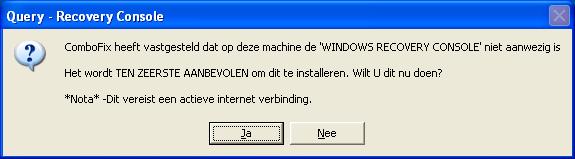
  • ComboFix zal controleren of dat de Microsoft Windows Recovery Console reeds is geïnstalleerd.

    **Let op: Als de Microsoft Windows Recovery Console al is geïnstalleerd, dan krijg je de volgende schermen niet te zien en zal ComboFix automatisch verder gaan met het scannen naar malware.
  • Volg de meldingen op het scherm om ComboFix de Microsoft Windows Recovery Console te laten downloaden en installeren.
cf-rc-auto.jpg


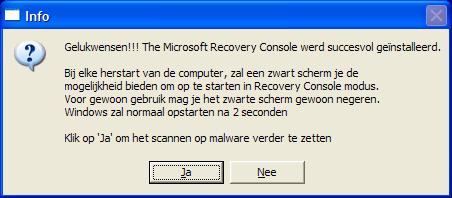
Je krijgt de volgende melding te zien wanneer ComboFix de Microsoft Windows Recovery Console succesvol heeft geïnstalleerd:
rc-auto-done.jpg


Klik op Ja om verder te gaan met het scannen naar malware.

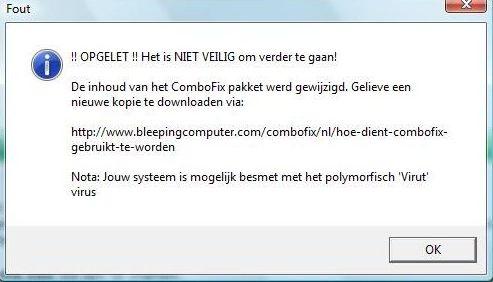
NOTE: Wanneer ComboFix start, kan het zijn dat je een Error melding krijgt dat de “contents of the ComboFix package has been compromised”
Ga niet verder met de instructies, maar download ComboFix opnieuw. Deze melding kan verschijnen wanneer een file-infector (Virut) actief is op de computer.


4ac516149830d-ComboFix_Virut.jpg

Blijf je die melding krijgen dan meld je dit.


Wanneer ComboFix klaar is, zal het het een logbestand voor je maken. Post de inhoud van dit logbestand (te vinden als C:\ComboFix.txt) in je volgende bericht.

Herr Doktor

Legacy Member
ComboFix 10-08-06.03 - kathleen 07/08/2010 11:44:11.1.1 - FAT32x86 NETWORK
Microsoft Windows XP Home Edition 5.1.2600.2.1252.31.1043.18.446.276 [GMT 2:00]
Gestart vanuit: c:\documents and settings\kathleen\Bureaublad\ComboFix.exe
AV: NOD32 antivirus systeem 2.50 *On-access scanning disabled* (Outdated) {E5E70D32-0101-4F12-8FB0-D96ACA4F34C0}
FW: Norton Internet Worm Protection *disabled* {990F9400-4CEE-43EA-A83A-D013ADD8EA6E}
.

(((((((((((((((((((((((((((((((((( Andere Verwijderingen )))))))))))))))))))))))))))))))))))))))))))))))))
.

c:\documents and settings\Administrator\Application Data\bcrypt.html
c:\documents and settings\kathleen\Application Data\bcrypt.html
c:\windows\Uninstall.ini

.
(((((((((((((((((((( Bestanden Gemaakt van 2010-07-07 to 2010-08-07 ))))))))))))))))))))))))))))))
.

2010-08-03 17:53 . 2010-08-03 17:53 -------- d-----w- c:\windows\LastGood.Tmp
2010-08-01 19:07 . 2010-08-01 19:07 -------- d-----w- C:\FOUND.013
2010-08-01 17:16 . 2010-08-01 17:16 -------- d-----w- c:\documents and settings\Administrator\Local Settings\Application Data\Adobe
2010-07-31 13:14 . 2010-07-31 13:14 -------- d-----w- c:\documents and settings\Administrator\Application Data\Malwarebytes
2010-07-31 13:13 . 2010-04-29 13:39 38224 ----a-w- c:\windows\system32\drivers\mbamswissarmy.sys
2010-07-31 13:13 . 2010-07-31 13:13 -------- d-----w- c:\program files\Malwarebytes' Anti-Malware
2010-07-31 13:13 . 2010-04-29 13:39 20952 ----a-w- c:\windows\system32\drivers\mbam.sys
2010-07-31 13:08 . 2010-07-31 13:08 -------- d-----w- c:\documents and settings\Administrator\Local Settings\Application Data\Mozilla
2010-07-30 23:02 . 2010-07-30 23:02 -------- d-----w- c:\documents and settings\LocalService\Local Settings\Application Data\Temp
2010-07-30 23:00 . 2010-07-30 23:00 -------- d-----w- c:\windows\system32\wbem\Repository
2010-07-30 22:56 . 2010-07-30 22:56 136 ----a-w- c:\documents and settings\Administrator\Local Settings\Application Data\fusioncache.dat
2010-07-30 22:56 . 2010-07-30 22:56 -------- d-----w- c:\documents and settings\Administrator\Local Settings\Application Data\ApplicationHistory
2010-07-30 22:50 . 2010-07-30 22:50 40520 ----a-w- c:\documents and settings\Administrator\Local Settings\Application Data\GDIPFONTCACHEV1.DAT
2010-07-30 22:37 . 2010-07-30 22:37 -------- d-----w- C:\FOUND.012
2010-07-30 22:32 . 2010-07-30 22:32 -------- d-----w- C:\FOUND.011
2010-07-30 22:15 . 2010-07-30 22:15 -------- d-----w- C:\FOUND.010
2010-07-30 21:21 . 2010-07-30 21:21 664 ----a-w- c:\windows\system32\d3d9caps.dat
2010-07-30 21:19 . 2010-07-30 21:19 -------- d-----w- C:\FOUND.009

.
((((((((((((((((((((((((((((((((((((((( Find3M Rapport ))))))))))))))))))))))))))))))))))))))))))))))))))))
.
2010-06-14 14:30 . 2005-03-07 16:17 743936 ----a-w- c:\windows\pchealth\helpctr\binaries\HelpSvc.exe
2010-05-26 08:20 . 2010-05-26 08:20 503808 ----a-w- c:\documents and settings\kathleen\Application Data\Sun\Java\Deployment\cache\6.0\46\f84c6ae-6b2dd1af-n\msvcp71.dll
2010-05-26 08:20 . 2010-05-26 08:20 499712 ----a-w- c:\documents and settings\kathleen\Application Data\Sun\Java\Deployment\cache\6.0\46\f84c6ae-6b2dd1af-n\jmc.dll
2010-05-26 08:20 . 2010-05-26 08:20 348160 ----a-w- c:\documents and settings\kathleen\Application Data\Sun\Java\Deployment\cache\6.0\46\f84c6ae-6b2dd1af-n\msvcr71.dll
.

((((((((((((((((((((((((((((((((((((( Reg Opstartpunten )))))))))))))))))))))))))))))))))))))))))))))))))))
.
.
*Nota* lege verwijzingen & legitieme standaard verwijzingen worden niet getoond
REGEDIT4

[HKEY_CURRENT_USER\SOFTWARE\Microsoft\Windows\CurrentVersion\Run]
"swg"="c:\program files\Google\GoogleToolbarNotifier\GoogleToolbarNotifier.exe" [2008-01-29 68856]

[HKEY_LOCAL_MACHINE\SOFTWARE\Microsoft\Windows\CurrentVersion\Run]
"LaunchApp"="Alaunch" [X]
"SynTPLpr"="c:\program files\Synaptics\SynTP\SynTPLpr.exe" [2004-10-07 98394]
"SynTPEnh"="c:\program files\Synaptics\SynTP\SynTPEnh.exe" [2004-10-07 688218]
"SoundMan"="SOUNDMAN.EXE" [2005-02-23 77824]
"SiSPower"="SiSPower.dll" [2005-02-25 49152]
"SiS Windows KeyHook"="c:\windows\system32\keyhook.exe" [2005-03-04 32768]
"QuickTime Task"="c:\program files\QuickTime\qttask.exe" [2006-01-27 98304]
"SunJavaUpdateSched"="c:\program files\Java\jre6\bin\jusched.exe" [2009-10-11 149280]

[HKEY_USERS\.DEFAULT\Software\Microsoft\Windows\CurrentVersion\Run]
"CTFMON.EXE"="c:\windows\system32\CTFMON.EXE" [2004-08-04 15360]
"PcSync"="c:\program files\Nokia\Nokia PC Suite 6\PcSync2.exe" [2006-11-09 1634304]

c:\documents and settings\All Users\Menu Start\Programma's\Opstarten\AutorunsDisabled
Adobe Reader Snelle start.lnk - c:\program files\Adobe\Acrobat 7.0\Reader\reader_sl.exe [2007-5-11 29696]
Microsoft Office.lnk - c:\program files\Microsoft Office\Office10\OSA.EXE [2001-2-13 83360]
NkbMonitor.exe.lnk - c:\program files\Nikon\PictureProject\NkbMonitor.exe [2006-1-27 118784]
Utility Tray.lnk - c:\windows\system32\sistray.exe [2005-3-7 331776]

[HKEY_LOCAL_MACHINE\software\microsoft\security center\Monitoring\SymantecFirewall]
"DisableMonitoring"=dword:00000001

[HKLM\~\services\sharedaccess\parameters\firewallpolicy\standardprofile]
"EnableFirewall"= 0 (0x0)

[HKLM\~\services\sharedaccess\parameters\firewallpolicy\standardprofile\AuthorizedApplications\List]
"%windir%\\system32\\sessmgr.exe"=
"c:\\Program Files\\LimeWire\\LimeWire.exe"=

S2 gupdate;Google Updateservice (gupdate);c:\program files\Google\Update\GoogleUpdate.exe [31/01/2010 23:18 135664]
S3 MBAMSwissArmy;MBAMSwissArmy;c:\windows\system32\drivers\mbamswissarmy.sys [31/07/2010 15:13 38224]
S3 RkPavproc1;RkPavproc1;\??\c:\windows\system32\drivers\RkPavproc1.sys --> c:\windows\system32\drivers\RkPavproc1.sys [?]
S4 hitmanpro3;Hitman Pro 3 Support Driver;\??\c:\windows\system32\drivers\hitmanpro3.sys --> c:\windows\system32\drivers\hitmanpro3.sys [?]
.
Inhoud van de 'Gedeelde Taken' map

2010-08-03 c:\windows\Tasks\GoogleUpdateTaskMachineCore.job
- c:\program files\Google\Update\GoogleUpdate.exe [2010-01-31 21:18]

2010-08-03 c:\windows\Tasks\GoogleUpdateTaskMachineUA.job
- c:\program files\Google\Update\GoogleUpdate.exe [2010-01-31 21:18]
.
.
------- Bijkomende Scan -------
.
uStart Page = hxxp://www.google.be/
IE: E&xporteren naar Microsoft Excel - c:\progra~1\MICROS~2\Office10\EXCEL.EXE/3000
IE: Google Sidewiki... - c:\program files\Google\Google Toolbar\Component\GoogleToolbarDynamic_mui_en_2EC7709873947E87.dll/cmsidewiki.html
DPF: Microsoft XML Parser for Java - file://c:\windows\Java\classes\xmldso.cab
DPF: {FB90BA05-66E6-4C56-BCD3-D65B0F7EBA39} - hxxp://express.foto.com/activeX/SpeedUploader.cab
FF - ProfilePath - c:\documents and settings\kathleen\Application Data\Mozilla\Firefox\Profiles\zo3rmpns.default\
FF - plugin: c:\program files\Google\Update\1.2.183.23\npGoogleOneClick8.dll

---- FIREFOX POLICIES ----
c:\program files\Mozilla Firefox\greprefs\all.js - pref("ui.use_native_colors", true);
c:\program files\Mozilla Firefox\greprefs\all.js - pref("network.auth.force-generic-ntlm", false);
c:\program files\Mozilla Firefox\greprefs\all.js - pref("svg.smil.enabled", false);
c:\program files\Mozilla Firefox\greprefs\security-prefs.js - pref("security.ssl.allow_unrestricted_renego_everywhere__temporarily_available_pref", true);
c:\program files\Mozilla Firefox\greprefs\security-prefs.js - pref("security.ssl.renego_unrestricted_hosts", "");
c:\program files\Mozilla Firefox\greprefs\security-prefs.js - pref("security.ssl.treat_unsafe_negotiation_as_broken", false);
c:\program files\Mozilla Firefox\greprefs\security-prefs.js - pref("security.ssl.require_safe_negotiation", false);
c:\program files\Mozilla Firefox\defaults\pref\firefox.js - pref("extensions.{972ce4c6-7e08-4474-a285-3208198ce6fd}.name", "chrome://browser/locale/browser.properties");
c:\program files\Mozilla Firefox\defaults\pref\firefox.js - pref("extensions.{972ce4c6-7e08-4474-a285-3208198ce6fd}.description", "chrome://browser/locale/browser.properties");
c:\program files\Mozilla Firefox\defaults\pref\firefox.js - pref("plugins.update.notifyUser", false);
.
- - - - ORPHANS VERWIJDERD - - - -

HKU-Default-Run-DWQueuedReporting - c:\progra~1\COMMON~1\MICROS~1\DW\dwtrig20.exe
AddRemove-HitmanPro3 - c:\program files\Hitman Pro 3\hitmanpro3.exe


**************************************************************************

catchme 0.3.1398 W2K/XP/Vista - rootkit/stealth malware detector by Gmer, GMER - Rootkit Detector and Remover
Rootkit scan 2010-08-07 11:47
Windows 5.1.2600 Service Pack 2 FAT NTAPI

scannen van verborgen processen ...

scannen van verborgen autostart items ...

scannen van verborgen bestanden ...

Scan succesvol afgerond
verborgen bestanden: 0

**************************************************************************
.
Voltooingstijd: 2010-08-07 11:49:59
ComboFix-quarantined-files.txt 2010-08-07 09:49

Pre-Run: 1.984.479.232 bytes beschikbaar
Post-Run: 2.524.217.344 bytes beschikbaar

WindowsXP-KB310994-SP2-Home-BootDisk-NLD.exe
[boot loader]
timeout=2
default=multi(0)disk(0)rdisk(0)partition(2)\WINDOWS
[operating systems]
c:\cmdcons\BOOTSECT.DAT="Microsoft Windows Recovery Console" /cmdcons
multi(0)disk(0)rdisk(0)partition(2)\WINDOWS="Microsoft Windows XP Home Edition" /noexecute=optin /fastdetect

- - End Of File - - 7FA27F571BA5C8604A6D61708A5A7F03

Juisterr

Legacy Member
Open Kladblok, kopieer en plak het volgende (vetgedrukte, blauwe tekst) in een leeg venster:


Driver::
RkPavproc1
hitmanpro3
Folder::
C:\FOUND.013
C:\FOUND.012
C:\FOUND.011
C:\FOUND.010
C:\FOUND.009


Sla dit op op je Bureaublad als CFScript.txt.

Sleep CFScript.txt in ComboFix.exe zoals getoond in onderstaand voorbeeld :
CFScript.gif


CFScript.gif


Dit zal ComboFix doen herstarten.

Na het herstarten van je computer, (indien het vraagt om te herstarten), kopieer en plak de inhoud van log.txt in je volgende antwoord.

Herr Doktor

Legacy Member
ComboFix 10-08-09.01 - kathleen 10/08/2010 16:27:23.3.1 - FAT32x86 NETWORK
Microsoft Windows XP Home Edition 5.1.2600.2.1252.31.1043.18.446.272 [GMT 2:00]
Gestart vanuit: c:\documents and settings\kathleen\Bureaublad\ComboFix.exe
gebruikte Opdracht switches :: c:\documents and settings\kathleen\Bureaublad\CFScript.txt
AV: NOD32 antivirus systeem 2.50 *On-access scanning disabled* (Outdated) {E5E70D32-0101-4F12-8FB0-D96ACA4F34C0}
FW: Norton Internet Worm Protection *disabled* {990F9400-4CEE-43EA-A83A-D013ADD8EA6E}
.

(((((((((((((((((((( Bestanden Gemaakt van 2010-07-10 to 2010-08-10 ))))))))))))))))))))))))))))))
.

2010-08-09 20:26 . 2010-08-09 20:26 -------- d-----w- c:\windows\LastGood.Tmp
2010-08-01 17:16 . 2010-08-01 17:16 -------- d-----w- c:\documents and settings\Administrator\Local Settings\Application Data\Adobe
2010-07-31 13:14 . 2010-07-31 13:14 -------- d-----w- c:\documents and settings\Administrator\Application Data\Malwarebytes
2010-07-31 13:13 . 2010-04-29 13:39 38224 ----a-w- c:\windows\system32\drivers\mbamswissarmy.sys
2010-07-31 13:13 . 2010-07-31 13:13 -------- d-----w- c:\program files\Malwarebytes' Anti-Malware
2010-07-31 13:13 . 2010-04-29 13:39 20952 ----a-w- c:\windows\system32\drivers\mbam.sys
2010-07-31 13:08 . 2010-07-31 13:08 -------- d-----w- c:\documents and settings\Administrator\Local Settings\Application Data\Mozilla
2010-07-30 23:02 . 2010-07-30 23:02 -------- d-----w- c:\documents and settings\LocalService\Local Settings\Application Data\Temp
2010-07-30 23:00 . 2010-07-30 23:00 -------- d-----w- c:\windows\system32\wbem\Repository
2010-07-30 22:56 . 2010-07-30 22:56 136 ----a-w- c:\documents and settings\Administrator\Local Settings\Application Data\fusioncache.dat
2010-07-30 22:56 . 2010-07-30 22:56 -------- d-----w- c:\documents and settings\Administrator\Local Settings\Application Data\ApplicationHistory
2010-07-30 22:50 . 2010-07-30 22:50 40520 ----a-w- c:\documents and settings\Administrator\Local Settings\Application Data\GDIPFONTCACHEV1.DAT
2010-07-30 21:21 . 2010-07-30 21:21 664 ----a-w- c:\windows\system32\d3d9caps.dat

.
((((((((((((((((((((((((((((((((((((((( Find3M Rapport ))))))))))))))))))))))))))))))))))))))))))))))))))))
.
2010-06-14 14:30 . 2005-03-07 16:17 743936 ----a-w- c:\windows\pchealth\helpctr\binaries\HelpSvc.exe
2010-05-26 08:20 . 2010-05-26 08:20 503808 ----a-w- c:\documents and settings\kathleen\Application Data\Sun\Java\Deployment\cache\6.0\46\f84c6ae-6b2dd1af-n\msvcp71.dll
2010-05-26 08:20 . 2010-05-26 08:20 499712 ----a-w- c:\documents and settings\kathleen\Application Data\Sun\Java\Deployment\cache\6.0\46\f84c6ae-6b2dd1af-n\jmc.dll
2010-05-26 08:20 . 2010-05-26 08:20 348160 ----a-w- c:\documents and settings\kathleen\Application Data\Sun\Java\Deployment\cache\6.0\46\f84c6ae-6b2dd1af-n\msvcr71.dll
.

((((((((((((((((((((((((((((( SnapShot@2010-08-07_09.48.02 )))))))))))))))))))))))))))))))))))))))))
.
- 2007-07-09 17:35 . 2009-05-26 09:01 18808 c:\windows\system32\spmsg.dll
+ 2007-07-09 17:35 . 2009-05-26 11:41 18808 c:\windows\system32\spmsg.dll
+ 2010-08-09 20:27 . 2009-05-26 11:41 26488 c:\windows\$hf_mig$\KB980218\update\spcustom.dll
+ 2010-08-09 20:27 . 2009-05-26 11:41 18808 c:\windows\$hf_mig$\KB980218\spmsg.dll
+ 2010-08-09 20:26 . 2008-07-08 13:07 26488 c:\windows\$hf_mig$\KB980195\update\spcustom.dll
+ 2010-08-09 20:26 . 2008-07-08 13:07 18808 c:\windows\$hf_mig$\KB980195\spmsg.dll
- 2005-03-07 16:10 . 2010-08-07 09:31 182632 c:\windows\system32\FNTCACHE.DAT
+ 2005-03-07 16:10 . 2010-08-10 14:21 182632 c:\windows\system32\FNTCACHE.DAT
+ 1979-12-31 22:00 . 2010-04-20 05:48 285696 c:\windows\system32\dllcache\atmfd.dll
- 1979-12-31 22:00 . 2004-08-04 03:00 285696 c:\windows\system32\dllcache\atmfd.dll
- 1979-12-31 22:00 . 2004-08-04 03:00 285696 c:\windows\system32\atmfd.dll
+ 1979-12-31 22:00 . 2010-04-20 05:48 285696 c:\windows\system32\atmfd.dll
+ 2010-08-09 20:27 . 2009-05-26 11:41 401272 c:\windows\$NtUninstallKB980218$\spuninst\updspapi.dll
+ 2010-08-09 20:27 . 2009-05-26 11:41 234872 c:\windows\$NtUninstallKB980218$\spuninst\spuninst.exe
+ 2010-08-09 20:27 . 2004-08-04 03:00 285696 c:\windows\$NtUninstallKB980218$\atmfd.dll
+ 2010-08-09 20:26 . 2008-07-08 13:07 401272 c:\windows\$NtUninstallKB980195$\spuninst\updspapi.dll
+ 2010-08-09 20:26 . 2008-07-08 13:07 234872 c:\windows\$NtUninstallKB980195$\spuninst\spuninst.exe
+ 2010-08-09 20:27 . 2009-05-26 11:41 401272 c:\windows\$hf_mig$\KB980218\update\updspapi.dll
+ 2010-08-09 20:27 . 2009-05-26 11:41 765304 c:\windows\$hf_mig$\KB980218\update\update.exe
+ 2010-08-09 20:27 . 2009-05-26 11:41 234872 c:\windows\$hf_mig$\KB980218\spuninst.exe
+ 2010-04-20 05:41 . 2010-04-20 05:41 285824 c:\windows\$hf_mig$\KB980218\SP3QFE\atmfd.dll
+ 2010-04-20 05:35 . 2010-04-20 05:35 285696 c:\windows\$hf_mig$\KB980218\SP3GDR\atmfd.dll
+ 2010-04-20 05:45 . 2010-04-20 05:45 285824 c:\windows\$hf_mig$\KB980218\SP2QFE\atmfd.dll
+ 2010-08-09 20:26 . 2008-07-08 13:07 401272 c:\windows\$hf_mig$\KB980195\update\updspapi.dll
+ 2010-08-09 20:26 . 2008-07-08 13:07 765304 c:\windows\$hf_mig$\KB980195\update\update.exe
+ 2010-08-09 20:26 . 2008-07-08 13:07 234872 c:\windows\$hf_mig$\KB980195\spuninst.exe
.
((((((((((((((((((((((((((((((((((((( Reg Opstartpunten )))))))))))))))))))))))))))))))))))))))))))))))))))
.
.
*Nota* lege verwijzingen & legitieme standaard verwijzingen worden niet getoond
REGEDIT4

[HKEY_CURRENT_USER\SOFTWARE\Microsoft\Windows\CurrentVersion\Run]
"swg"="c:\program files\Google\GoogleToolbarNotifier\GoogleToolbarNotifier.exe" [2008-01-29 68856]

[HKEY_LOCAL_MACHINE\SOFTWARE\Microsoft\Windows\CurrentVersion\Run]
"LaunchApp"="Alaunch" [X]
"SynTPLpr"="c:\program files\Synaptics\SynTP\SynTPLpr.exe" [2004-10-07 98394]
"SynTPEnh"="c:\program files\Synaptics\SynTP\SynTPEnh.exe" [2004-10-07 688218]
"SoundMan"="SOUNDMAN.EXE" [2005-02-23 77824]
"SiSPower"="SiSPower.dll" [2005-02-25 49152]
"SiS Windows KeyHook"="c:\windows\system32\keyhook.exe" [2005-03-04 32768]
"QuickTime Task"="c:\program files\QuickTime\qttask.exe" [2006-01-27 98304]
"SunJavaUpdateSched"="c:\program files\Java\jre6\bin\jusched.exe" [2009-10-11 149280]

[HKEY_USERS\.DEFAULT\Software\Microsoft\Windows\CurrentVersion\Run]
"CTFMON.EXE"="c:\windows\system32\CTFMON.EXE" [2004-08-04 15360]
"PcSync"="c:\program files\Nokia\Nokia PC Suite 6\PcSync2.exe" [2006-11-09 1634304]

c:\documents and settings\All Users\Menu Start\Programma's\Opstarten\AutorunsDisabled
Adobe Reader Snelle start.lnk - c:\program files\Adobe\Acrobat 7.0\Reader\reader_sl.exe [2007-5-11 29696]
Microsoft Office.lnk - c:\program files\Microsoft Office\Office10\OSA.EXE [2001-2-13 83360]
NkbMonitor.exe.lnk - c:\program files\Nikon\PictureProject\NkbMonitor.exe [2006-1-27 118784]
Utility Tray.lnk - c:\windows\system32\sistray.exe [2005-3-7 331776]

[HKEY_LOCAL_MACHINE\software\microsoft\security center\Monitoring\SymantecFirewall]
"DisableMonitoring"=dword:00000001

[HKLM\~\services\sharedaccess\parameters\firewallpolicy\standardprofile]
"EnableFirewall"= 0 (0x0)

[HKLM\~\services\sharedaccess\parameters\firewallpolicy\standardprofile\AuthorizedApplications\List]
"%windir%\\system32\\sessmgr.exe"=
"c:\\Program Files\\LimeWire\\LimeWire.exe"=

S2 gupdate;Google Updateservice (gupdate);c:\program files\Google\Update\GoogleUpdate.exe [31/01/2010 23:18 135664]
S3 MBAMSwissArmy;MBAMSwissArmy;c:\windows\system32\drivers\mbamswissarmy.sys [31/07/2010 15:13 38224]
.
Inhoud van de 'Gedeelde Taken' map

2010-08-09 c:\windows\Tasks\GoogleUpdateTaskMachineCore.job
- c:\program files\Google\Update\GoogleUpdate.exe [2010-01-31 21:18]

2010-08-09 c:\windows\Tasks\GoogleUpdateTaskMachineUA.job
- c:\program files\Google\Update\GoogleUpdate.exe [2010-01-31 21:18]
.
.
------- Bijkomende Scan -------
.
uStart Page = hxxp://www.google.be/
IE: E&xporteren naar Microsoft Excel - c:\progra~1\MICROS~2\Office10\EXCEL.EXE/3000
IE: Google Sidewiki... - c:\program files\Google\Google Toolbar\Component\GoogleToolbarDynamic_mui_en_2EC7709873947E87.dll/cmsidewiki.html
DPF: Microsoft XML Parser for Java - file://c:\windows\Java\classes\xmldso.cab
DPF: {FB90BA05-66E6-4C56-BCD3-D65B0F7EBA39} - hxxp://express.foto.com/activeX/SpeedUploader.cab
FF - ProfilePath - c:\documents and settings\kathleen\Application Data\Mozilla\Firefox\Profiles\zo3rmpns.default\
FF - plugin: c:\program files\Google\Update\1.2.183.23\npGoogleOneClick8.dll

---- FIREFOX POLICIES ----
c:\program files\Mozilla Firefox\greprefs\all.js - pref("ui.use_native_colors", true);
c:\program files\Mozilla Firefox\greprefs\all.js - pref("network.auth.force-generic-ntlm", false);
c:\program files\Mozilla Firefox\greprefs\all.js - pref("svg.smil.enabled", false);
c:\program files\Mozilla Firefox\greprefs\security-prefs.js - pref("security.ssl.allow_unrestricted_renego_everywhere__temporarily_available_pref", true);
c:\program files\Mozilla Firefox\greprefs\security-prefs.js - pref("security.ssl.renego_unrestricted_hosts", "");
c:\program files\Mozilla Firefox\greprefs\security-prefs.js - pref("security.ssl.treat_unsafe_negotiation_as_broken", false);
c:\program files\Mozilla Firefox\greprefs\security-prefs.js - pref("security.ssl.require_safe_negotiation", false);
c:\program files\Mozilla Firefox\defaults\pref\firefox.js - pref("extensions.{972ce4c6-7e08-4474-a285-3208198ce6fd}.name", "chrome://browser/locale/browser.properties");
c:\program files\Mozilla Firefox\defaults\pref\firefox.js - pref("extensions.{972ce4c6-7e08-4474-a285-3208198ce6fd}.description", "chrome://browser/locale/browser.properties");
c:\program files\Mozilla Firefox\defaults\pref\firefox.js - pref("plugins.update.notifyUser", false);
.

**************************************************************************

catchme 0.3.1398 W2K/XP/Vista - rootkit/stealth malware detector by Gmer, GMER - Rootkit Detector and Remover
Rootkit scan 2010-08-10 16:31
Windows 5.1.2600 Service Pack 2 FAT NTAPI

scannen van verborgen processen ...

scannen van verborgen autostart items ...

scannen van verborgen bestanden ...

Scan succesvol afgerond
verborgen bestanden: 0

**************************************************************************
.
Voltooingstijd: 2010-08-10 16:33:16
ComboFix-quarantined-files.txt 2010-08-10 14:33
ComboFix2.txt 2010-08-09 20:28
ComboFix3.txt 2010-08-07 09:50

Pre-Run: 2.400.894.976 bytes beschikbaar
Post-Run: 2.390.999.040 bytes beschikbaar

- - End Of File - - 48DF34A8886CA3899EC7394E79EDD1B9

------

Het lijkt terug in orde te zijn :).

Juisterr

Legacy Member
Ga naar Start - Uitvoeren
en Geef hier het volgende in: Combofix /Uninstall
Druk daarna op OK.
Als het goed is krijg je dan een melding dat Combofix verwijderd werd.

Voorbeeld:

CFUninstall.PNG


Uitvoeren kan ook gestart worden door de toetsencombinatie
W+R.jpg


Vertel nu even of je nog problemen ondervindt?

Herr Doktor

Legacy Member
Het probleem is er nog altijd :s daar straks macheerde nog alles....
Het archief is een bevroren moment uit een vorige versie van dit forum, met andere regels en andere bazen. Deze posts weerspiegelen op geen enkele manier onze huidige ideeën, waarden of wereldbeelden en zijn op sommige plaatsen gecensureerd wegens ontoelaatbaar. Veel zijn in een andere tijdsgeest gemaakt, al dan niet ironisch - zoals in het ironische subforum Off-Topic - en zouden op dit moment niet meer gepost (mogen) worden. Toch bieden we dit archief nog graag aan als informatiedatabank en naslagwerk. Lees er hier meer over of start een gesprek met anderen.
Terug
Bovenaan